Virgo Design 3D - Home · Resources · Formats
3D Formats (SKP, 3DMAX, OBJ, FBX, and STL): how to choose the right one for archviz, interior design, or 3D printing
If you have ever imported a model and it came in huge, rotated, or without materials, normalmente no es “mala suerte”: es format + units + materials. In this guide to 3D formats, you will see what to use depending on your software.
At Virgo Design 3D - Home the models are delivered in a ZIP organized by folders and include SKP, 3DMAX, FBX, OBJ, and STL (plus textures, if applicable) so they fit real-world workflows.

1) 3D Formats: Choose the format based on the end use (quick shortcut)
The “best format” depends on what you are going to do with the model:
- SketchUp (fast interior design / lightweight scenes) → SKP
- 3ds Max (pro archviz / complex scenes) → 3DMAX
- Universal compatibility (opens in almost everything) → OBJ
- Software exchange / pipelines → FBX
- 3D printing → STL (or 3MF if your workflow requires it)
Virgo tip: if your priority is visualization, think about UVs + materials + scale. Si tu prioridad es printing, think about a watertight mesh + thickness + tolerances. If you work in archviz, the most practical 3D formats are usually FBX/OBJ (and 3DMAX if you use Max).
2) Comparison of 3D formats (SKP, 3DMAX, OBJ, FBX, and STL): what you gain (and what you sacrifice) with each format
| Format | Ideal for | Strengths | Watch out for… |
|---|---|---|---|
| SKP | SketchUp (interior design/architecture) | Fast and convenient editing | Versions and compatibility with renderers |
| 3DMAX | 3ds Max (high-end archviz) | Full control in Max | Dependence on software versions |
| OBJ | Universal compatibility | Simple, reliable, opens in “almost everything” | Materials travel via MTL; PBR does not always look identical |
| FBX | Exchange between software | Hierarchies, pivots, and a “production” pipeline | Import/export changes depending on the program |
| STL | 3D printing / prototyping | Very widespread standard for printing | Does not store materials; units and a closed mesh matter |
3) 3D formats checklist: units, axes, and materials
- For printing, the most common among 3D formats is STL (and sometimes 3MF).
- Software and version: does your program open that format without strange plugins?
- Units: mm / cm / m (the #1 cause of “it’s huge”).
- Axes: Y-up / Z-up (the #1 cause of “it came in lying down”).
- Materials: do you need PBR or is a basic material enough?
- Topology: for rendering, avoid problematic n-gons; for printing, no holes.
- Final use: renders/video yes; redistributing files no (see license).
If you need help, write to us through Contact indicating: product, format and software/version. We’ll get back to you quickly.
4) 3 import errors (and how to fix them)
A) “It’s huge / tiny”
This is a units. Adjust the units before importing and avoid rescaling multiple times. Rescale once and freeze transforms if your software allows it.
B) “It came in rotated 90°”
This is usually a Y-up vs. Z-up. In FBX/OBJ importers, check the “Forward/Up” settings.
C) “I lost materials / textures”
OBJ usually depends on the .MTL. In FBX, the result depends on the software. For maximum visual fidelity: correct UVs + recreate materials in your renderer/engine if needed.
5) STL for 3D printing: what really matters
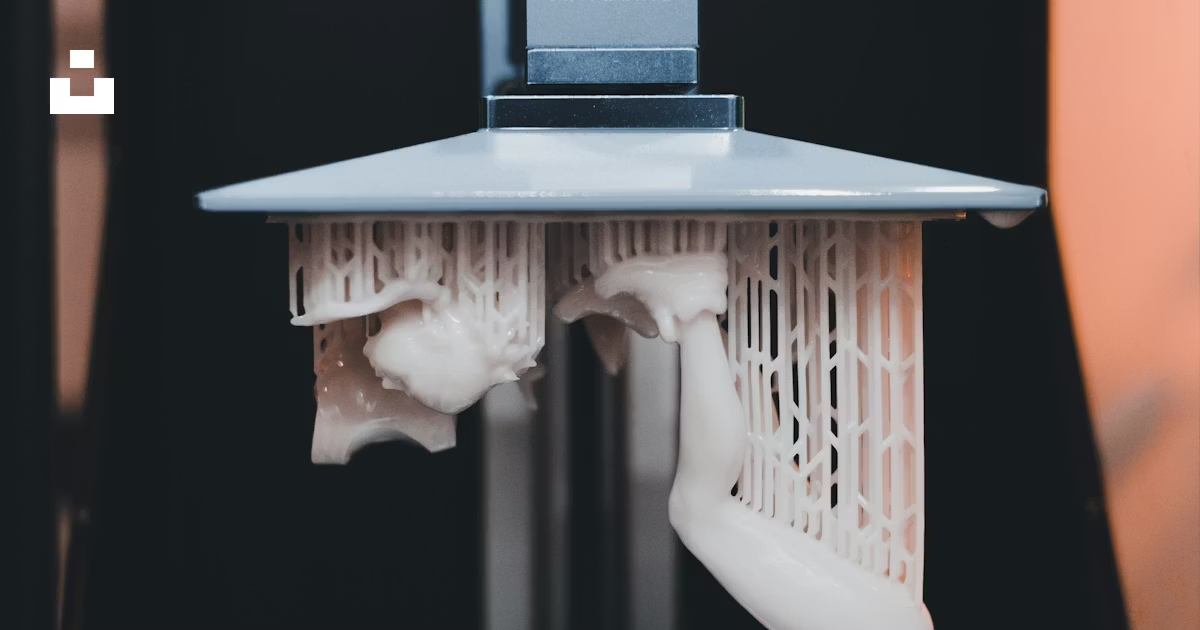
For printing, the most common among 3D formats is STL (and sometimes 3MF). STL does not store PBR or scene data: it describes a triangulated surface. To print without issues, make sure you have: a watertight mesh,, minimum thickness, tolerances and orientation.
6) License in 60 seconds (so you can work with peace of mind)
Full details here: Licenses.
7) Frequently Asked Questions (FAQ)
Which 3D format is best for SketchUp?
For SketchUp, the most direct format is SKP. It avoids conversions and keeps editing fast.
OBJ or FBX: which one is better for compatibility?
OBJ is the most universal FBX is usually better for exchanging files between software when you need hierarchies/pivots.
Is STL suitable for renders?
STL is intended for 3D printing. For visualization OBJ/FBX/SKP/3DMAX with materials.
Do Virgo models include all formats?
Yes: they normally include SKP, 3DMAX, FBX, OBJ, and STL (and textures if applicable) in an organized ZIP.
What should I do if a model imports at the wrong scale?
Check the units (mm/cm/m) in your software and adjust them once. If you need help, contact us with the product and your version.
Do you want us to recommend the ideal format? Write to us through Contact with your software, version, and goal (archviz / interior design / 3D printing).
External documentation (for further reading)
- Blender Manual (OBJ Import/Export): official documentation
- Blender Manual (FBX Import/Export): official documentation
- Library of Congress (STL): format overview